
Cortex Rail
Your AI coding agents plan first, wait for your OK, and test their work. Surprise rewrites not included.
- Understand
- Plan
- Your OK
- Build
- Test
TaskAdd late fees to overdue books
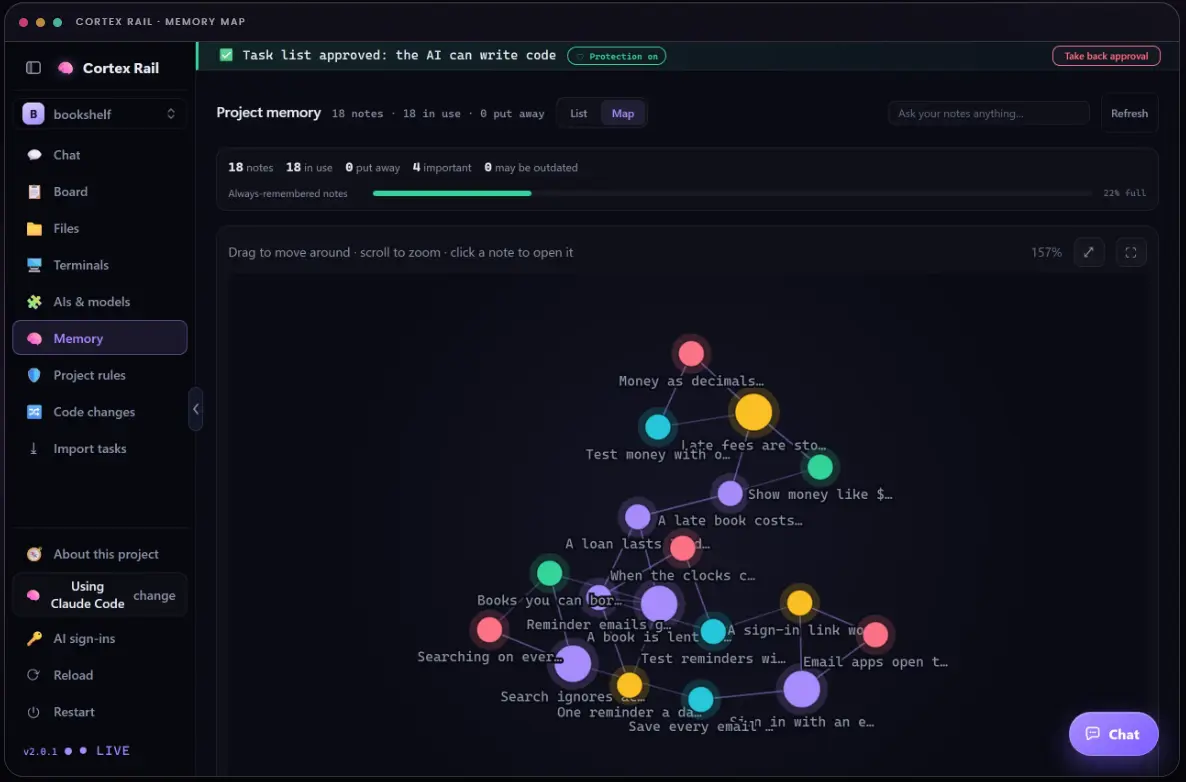
Money is stored in centsFees start after a grace dayTest money with exact values3 notes from memory, not the whole project
- Add lateFee() to loans.ts
- Store the fee in cents
- Test an overdue book and the grace day
Waiting for your OK. The code is locked.
Plan approved by you
+ export const lateFee = (days) => …+ test("grace day costs nothing")
12 tests passed
What is Cortex Rail?
Cortex Rail is an operating system for AI software development. It makes your AI coding agents plan first, wait for your approval before they change anything, and test what they build. They share a small local memory, so each task costs about the same whether the project is a week old or a year old. It’s free for Windows and Linux.
Who it’s for: Developers and teams who already use AI coding agents, and want them to stop rewriting things nobody asked for.
Last updated
What it does. And what it won’t let your agents do.
Plans first
Every task starts as a written plan you can read, not a burst of edits.
Waits for your OK
A three layer lock: the tool refuses the write, the app undoes any change that slips through, and Git refuses commits without an approved plan.
Tests its own work
Agents check what they built before they call a task done, not after you find the bug.
Remembers, cheaply
A local memory of small notes, fetched by meaning, so agents don’t reread the whole project every time.
Mixes AI tools
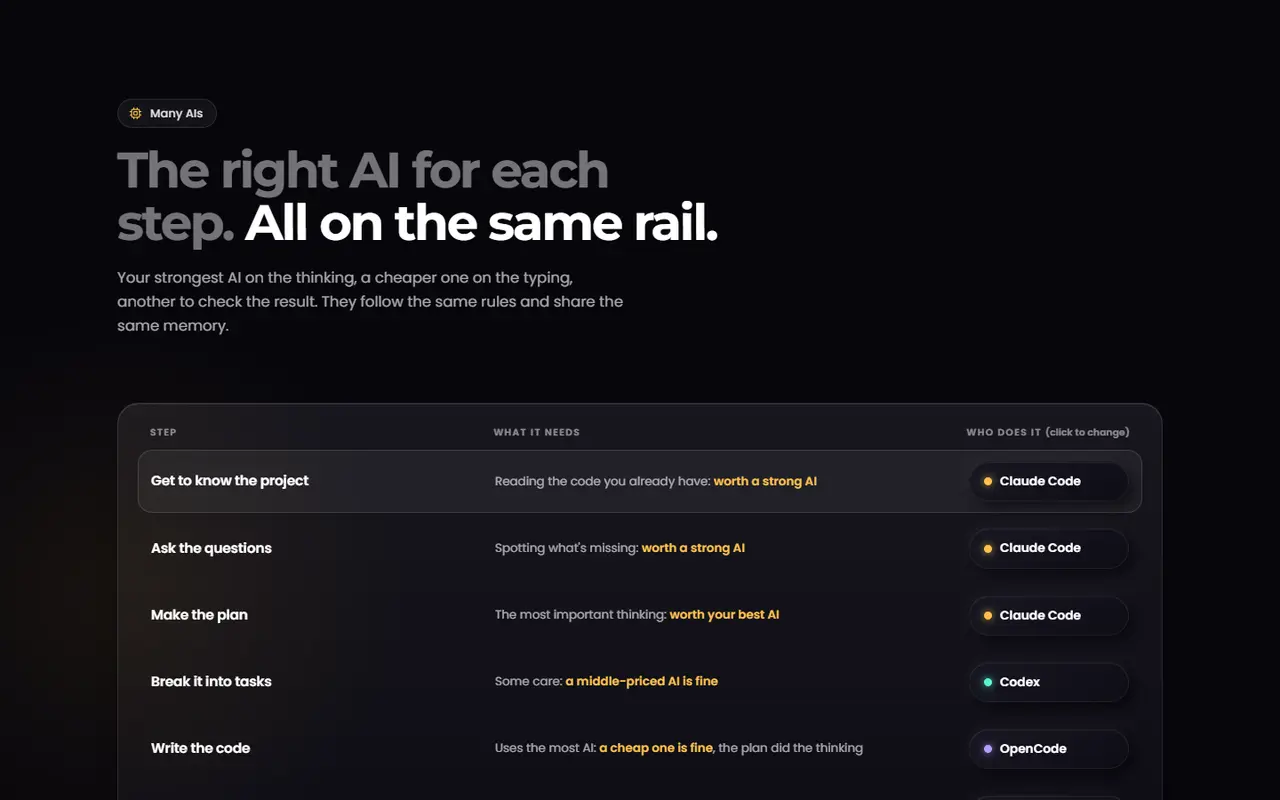
Use a stronger model to plan and a cheaper one to write the code.
Works for teams
A shared memory and task board, so everyone’s agents follow the same plan.
Platforms and facts
- Price
- Free, for personal and commercial use
- Windows
- Windows 10 and 11
- Linux
- Ubuntu 20.04+, Debian 11+, Fedora 34+ and similar
- Account
- None needed
- Your code
- Stays on your machine, and so does the memory
- Works with
- 8 AI coding tools, named in the questions below
- Built by
- AgileCrafts, teams in Bangladesh and Australia
Inside Cortex Rail
Questions about Cortex Rail
Is Cortex Rail really free?
Yes, for personal and commercial use. It needs no account.
Does my code leave my machine?
No. Your code and the agents’ memory stay on your computer.
Which AI tools does it work with?
Eight AI coding tools: Claude Code, Codex, OpenCode, Gemini CLI, Qwen Code, Cursor CLI, GitHub Copilot CLI and Aider. You can mix them, one per step.
Is it open source?
The app isn’t open source, but the rule files it puts in your project are plain text you can read and edit.
Want your software built this carefully?
We build for clients as well as our own products: with AI, checked by engineers, then hosted securely and kept running. Tell us what yours needs to do.